How to Disable Google Chrome Back Ground Process
Creation date: 5/09/2023 10:46 AM
Updated: 5/09/2023 10:47 AM
How to disable Background Apps running when Chrome is closed
Description: This article will show you how to disable Chrome background apps from running when Chrome is closed. Some examples of these apps can be notifications from websites, file uploads, etc.
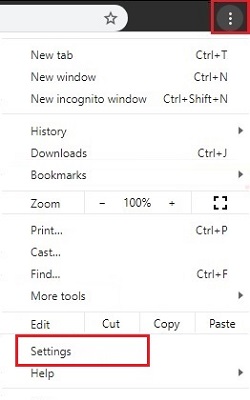
- With Google Chrome open, select the three dots for customize and control Google Chrome, found at the top right of the Chrome window. Choose Settings from the dropdown menu.
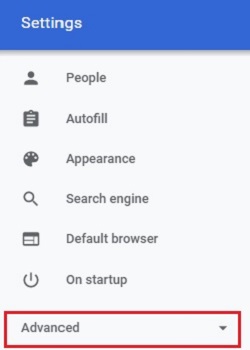
- On the left side of the Settings window, choose Advanced to get a list of additional options.
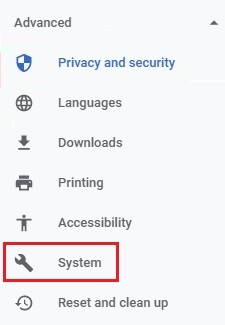
- Select System under advanced settings.
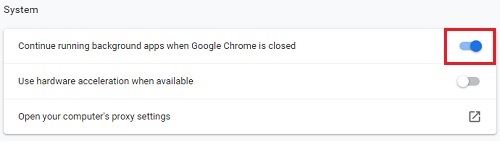
- Under System settings, toggle the slider next to Continue running background apps when Google Chrome is closed, to turn the setting Off.