Cellular SIM Install Guide for a Cisco Integrated Services Router
Creation date: 18/07/2023 2:31 PM
Updated: 18/07/2023 3:48 PM
This tutorial explains how to install a new SIM card in your Cisco Integrated Services Router to provide cellular connectivity. This guide is applicable to 1900 and 2900 series routers.
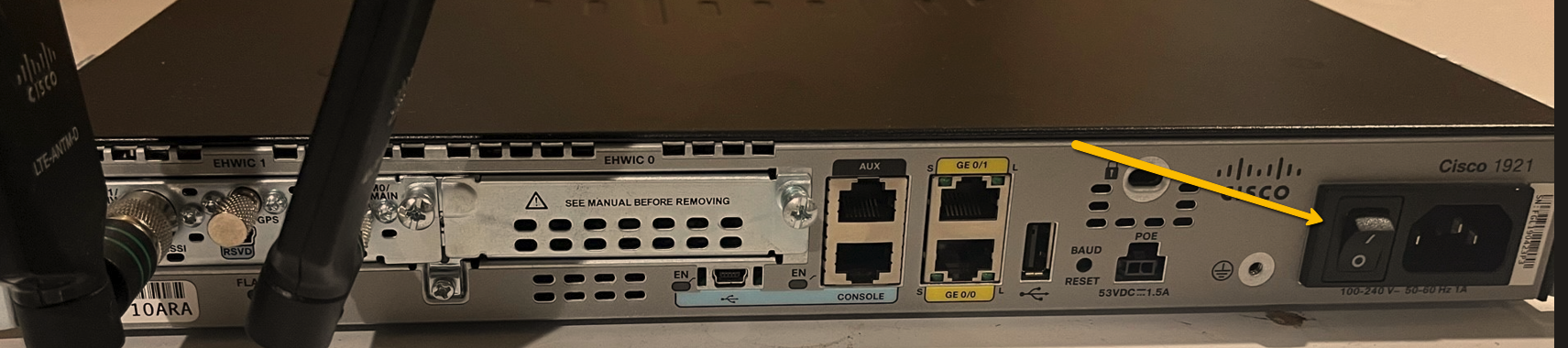
1. Locate and identify your Cisco router and power off the device using the power switch.
1. Locate and identify your Cisco router and power off the device using the power switch.
2. Identify the cellular module in your router. It will usually have two aerials attached and be labelled EHWIC-LTE-AU or EHWIC-LTE-LA on the top left of the module.
3. Unscrew and remove the aerials from the module by hand. The aerials unscrew counter clock-wise.
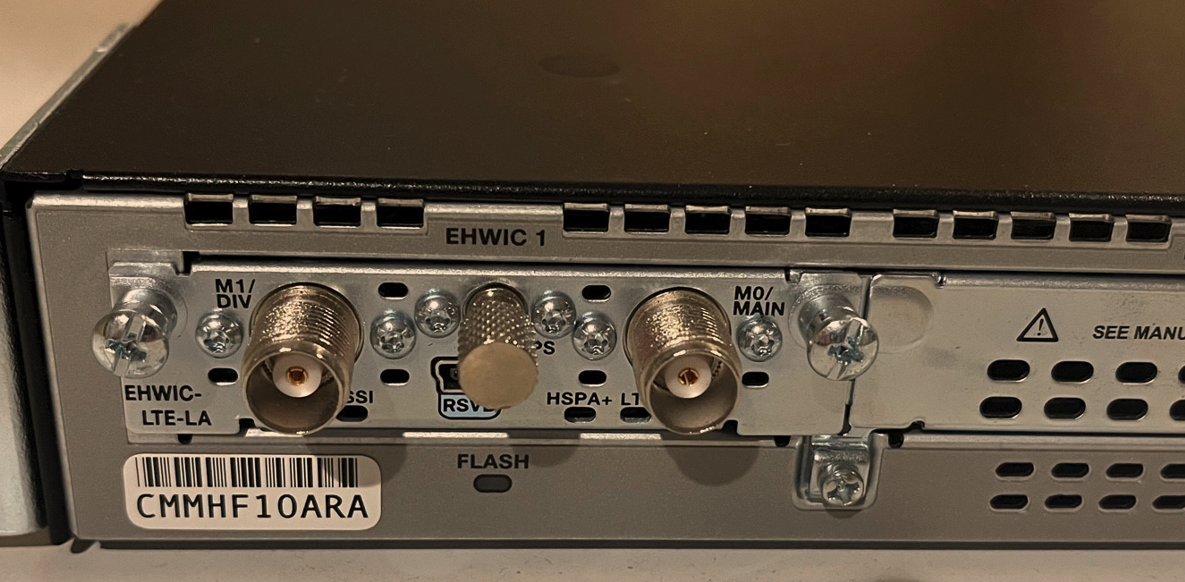
4. Now unscrew the module from the chassis using the screws on the left and right as identified in the image below.
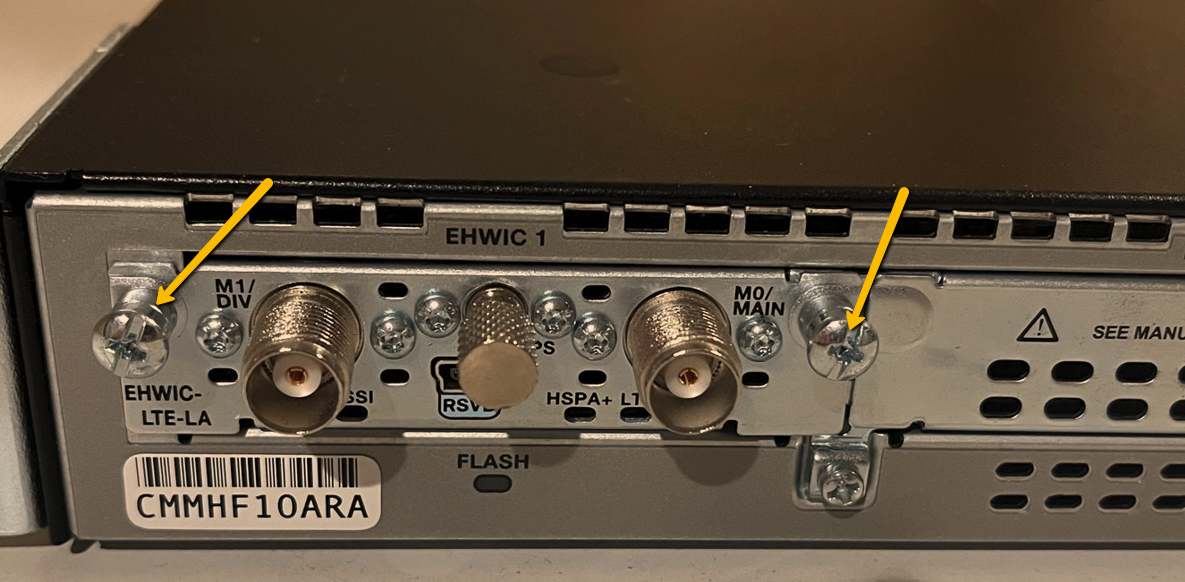
4. Now unscrew the module from the chassis using the screws on the left and right as identified in the image below.
5. Holding the screws on the left and right carefully slide the cellular module all the way out of the router chassis.
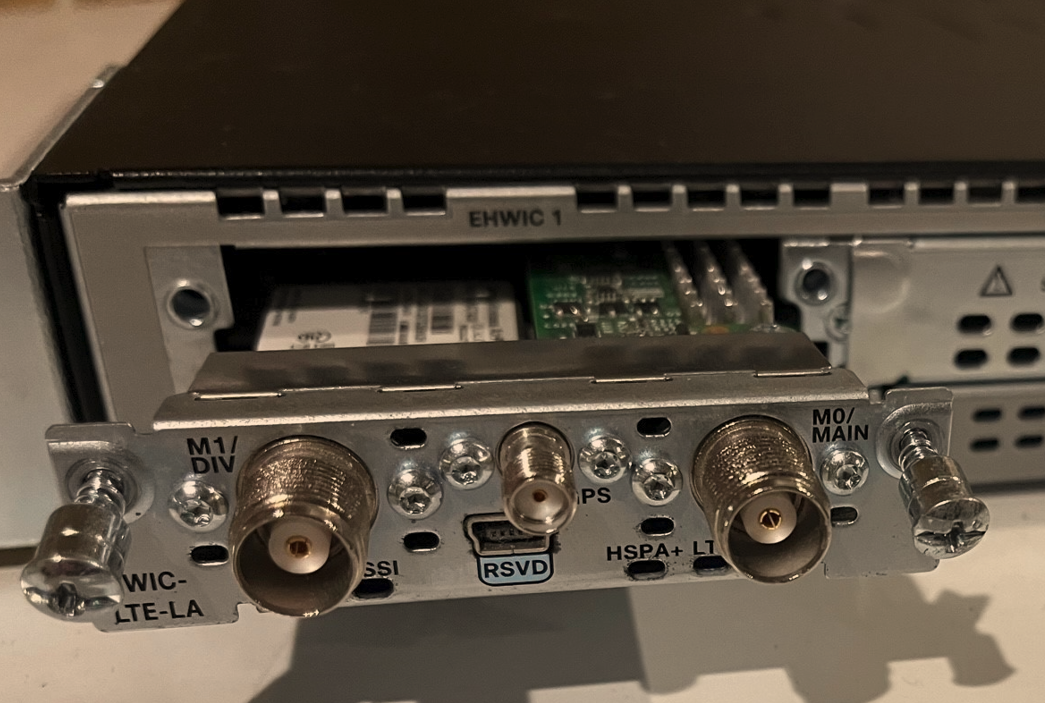
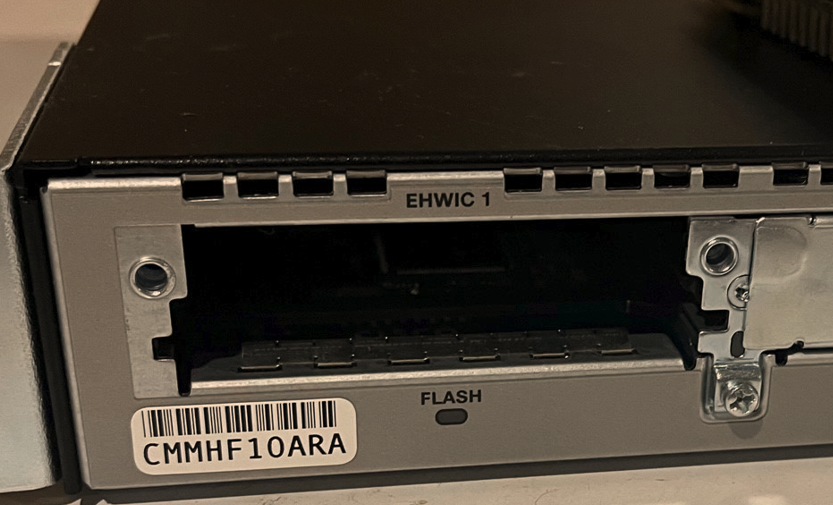
6. Turn the cellular module onto its rear side and locate the SIM socket. Using your finger in the top groove slide the SIM holder down toward the front of the module and then lift it open from the top as shown.
7. Install your new SIM in the holder with the metal contacts facing down as shown. It can only fit one way.
8. Close the metal bracket over the SIM and whilst holding down also slide the bracket upwards so it locks firmly into place again. Your SIM should now be firmly installed and the metal bracket should no longer swing open if locked correctly in place.
9. Side the cellular module back into the router chassis. Tighten the left and right screws with a Phillips head screw driver and then re-attach the aerials by hand. The aerials must be screwed on firmly and be able to stand upright. Your SIM card is now successfully installed. Power on the router using the power switch. Contact your service provider to activate the new SIM.
DataImage48.png
DataImage73.png
DataImage38.png
DataImage87.png
DataImage87.png
DataImage25.png
DataImage26.png
DataImage16.png
DataImage10.png
DataImage50.png